
Component-level security can be applied to single files or groups of files in a BLOB Storage Service.
Examples of BLOB component-level security:
You must have at least Level 2 authorization for the service’s ACCESS event to change the properties of a record.
BLOB File and BLOB Group security take precedence over service-level security. BLOB File security takes precedence over BLOB Group security. Keep in mind that Level 5 authorization for the service (i.e., Service Administrative Security) trumps all component-level security.
Note: BLOB component-level security can be configured in either CygNet Explorer (described below) or in the BSS Explorer.
The Application and Event(s) that you apply to BLOB component security can be custom or you can use an existing Application and Event. It may be easier to track component security if you use a custom Application name. If you create a custom Event, the authorization levels for the Event parallel those of the BLOB ACCESS Event. For example, you have to have Level 1 authorization to view the file.
To Configure BSS File Level Security
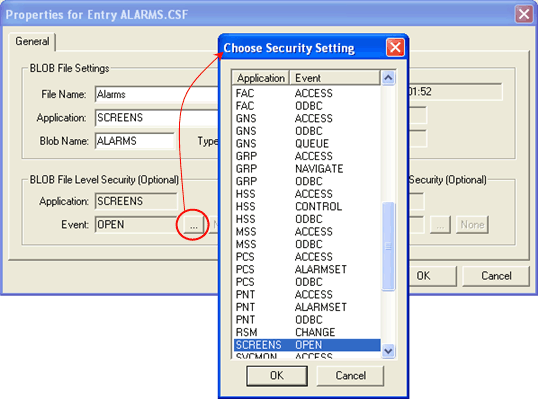
To Configure BSS File Group Security
When configuring file group security, you have to define the security only for one file in the group. The security will information will be written to all files in the group.
Once the group security is saved, the BLOB creates a file for the group named “BSS Security Settings.~” You can use this entry to modify the security for the group.

|
| Group security file created by the BLOB |
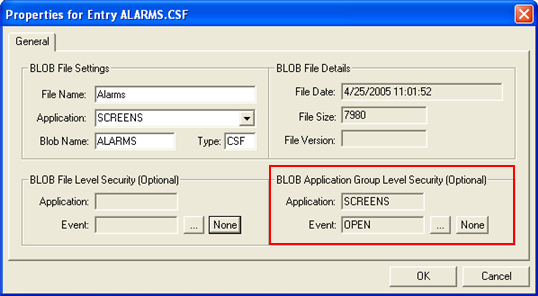
To Clear File Level or Group Level Security

|
|
|

